Blog · Higgsfield Workflow
The Seedance 2.5
Cinematic Workflow
One face, one location and one well built prompt, turned into a full set of cinematic shots that look like they came from the same shoot. B-roll, new camera angles of real footage, relighting and inserts, all at 4:3, 24fps, with a 16mm film look.
The three locks
Seedance 2.5 on Higgsfield can hold a look across many separate generations if you lock the right things. Lock the character, lock the location and its light, and lock the prompt structure.
Change only one variable per generation and the shots cut together.
Step 1: Lock your character
Train a Soul character on your subject's face before you generate a single clip. A character sheet built from a few photos rarely holds a likeness; a trained Soul does.
- Gather 15 to 20 photos of the face: front, three-quarter, profile, varied lighting, with any signature accessories (glasses, jewellery).
- Train a Soul character in Higgsfield (about 10 minutes).
- Generate one clean front character sheet and one side sheet. These become the face reference in every Seedance prompt.
In the prompt, the sheet is @image1 and the subject is "the person from @image1". Do not describe the face in words. The reference does that better, and words fight it.


What makes a good sheet: plain seamless background, simple solid wardrobe, even soft light, and both a full-body and a close-up view in each image.
Step 2: Lock your location and its light
Pick ONE still of your location and feed it into every shot as @image2. A home office, a studio, a kitchen: anything with recognisable props and practical lights works.
- Grab a frame from real footage rather than describing the space. One exported frame beats a paragraph of description.
- Name the light, then lock it. Write the lighting once with sources and colour temperatures, and add "lighting exactly as @image2" to every prompt. This is what makes separate generations feel like one shoot.
- Name the props that matter. Seedance keeps what you name and improvises what you do not.
A reusable lighting line
LIGHTING: exactly as @image2, [main source, e.g. overhead soft panel] ([5000K]), warm practical lamps ([2700K]), [surface] bouncing fill, soft falloff to shadow in the corners.
Step 3: The prompt template
Every prompt uses the same labelled blocks, in the same order. Labels stop Seedance from blending camera, action and light into mush.
SCENE: what the shot is, in one line. Who (@image1) and where (@image2).

FIRST FRAME: exactly what we see at frame one: framing, subject position, what is NOT visible yet.

CAMERA: lens (24mm / 35mm / 50mm / 85mm), height, move type, and speed in km/h (0.5 = barely drifting, 1.5 = slow, 4 = brisk, 6 = fast slider). Say how it ends.

ACTION: one clear beat. Who does what, and where they stop.

LIGHTING: sources + colour temperatures, or "exactly as @image2".

STYLE: 16mm film, fine grain, soft halation, 24fps, [grade].

POSITIVE LOCKS: what must not change (face, wardrobe, props, text).

One continuous shot, the camera does not cut.
Three details that matter most
- Speed in km/h. "Slow dolly" is vague; "dolly right about 1.5 km/h" is not. If a move feels sluggish, raise the number (1.5 to 6 km/h).
- First frame. For reveals, describe what is NOT in frame yet. Otherwise the model starts on the subject and there is nothing to reveal.
- The last line. "One continuous shot, the camera does not cut" stops Seedance from inventing edits inside a 5 second clip.
Recommended settings: model seedance_2_5, aspect ratio 4:3, 5s, 1080p.
Step 4: B-roll from a script
Write your script first, then give every line a shot. Use the same two references on every clip: the face sheet (@image1) and the location still (@image2). Here is a 13 shot list for a 45 second talking head video about filmmaking.
| # | Script beat | Shot | Camera |
|---|---|---|---|
| 1 | Opening | Subject walks into the space | Dolly in through a doorway |
| 2 | The tool | Editing screen over the shoulder | Push in |
| 3 | Fast cuts | Wide, profile, eye | Crash-zoom cuts |
| 4 | Scale | Overhead at the desk | Crane up and pull back |
| 5 | Lighting control | Light cycles warm, teal, red | Locked off |
| 6 | Mood | Blind shadows in haze | Slow arc |
| 7 | Grading | Grading monitor | Rack focus to face |
| 8 | Style | Pictures on the wall | Dolly right |
| 9 | Gear | Picks up a camera | Handheld |
| 10 | Shooting | Camera monitor over the shoulder | Handheld |
| 11 | Before | Flat phone-camera look | Locked off |
| 12 | After | Lighting blooms cinematic | Push in |
| 13 | Call to action | Looks up at the lens, smirks | Push in |
Shot 1, the walk-in
SCENE: the person from @image1 enters the [location] from @image2.

FIRST FRAME: from outside, framed through the open doorway, the room beyond visible; the person is not in frame yet.

CAMERA: 35mm at chest height, slow dolly in through the doorway (about 1.5 km/h), following behind them, ending on a medium wide as they reach the centre of the room.

ACTION: they walk in from behind camera, cross the room and stop.

LIGHTING: exactly as @image2, [main source] ([5000K]), warm practicals ([2700K]), soft falloff in the corners.

STYLE: 16mm film, fine grain, soft halation, 24fps, warm natural grade.

POSITIVE LOCKS: face and wardrobe exactly as @image1; room layout exactly as @image2.

One continuous shot, the camera does not cut.
Shot 13, the call to action
SCENE: the person from @image1 at a desk in the [location] from @image2.

FIRST FRAME: medium shot across the desk, they are looking down at their hands.

CAMERA: 50mm at eye level, slow push in (about 0.8 km/h) ending on a close-up.

ACTION: they look up directly into the lens with a small knowing smirk, then hold eye contact.

LIGHTING: exactly as @image2.

STYLE: 16mm film, fine grain, soft halation, 24fps.

One continuous shot, the camera does not cut.
Shots 5 and 11 deliberately break the lighting lock. Cut 11 straight into 12 for a before and after.
Step 5: New camera angles from real footage
Shoot one real clip, then let Seedance re-shoot it from angles you never rigged. Use video edit mode with your clip as the video reference (@video1), and tell it to change ONLY the camera. One static clip can give you a crane up, an arc and a floor-level push.
Start every angle with this header
NEW CAMERA ANGLE of @video1. Keep identical: the same person, same performance, same location, props and layout, same lighting exactly as @video1. Change ONLY the camera.
Crane up to overhead
CAMERA: crane up. Start low at floor level on a 24mm lens, rise smoothly straight up (about 3 km/h) while tilting down, ending in a perfect top-down overhead with the subject centred.

STYLE: 16mm film, fine grain, soft halation, 24fps. One continuous shot, the camera does not cut.
180 degree arc
CAMERA: 180-degree arc. Low angle at knee height on a 28mm lens, orbit around the subject in a smooth continuous circle (about 4 km/h), from front-left, past their profile, ending behind them over the shoulder, background revealing in parallax.
Floor-level push and tilt
CAMERA: lens almost touching the floor on a wide 16mm, glide fast toward the subject's feet (about 5 km/h), then tilt up along their body, ending in a heroic low-angle close-up of the face.
All three came from the same single source clip, a low-angle wide of someone sitting and writing.
Step 6: Relight real footage
One clip, several moods. Video edit mode again, with a "RELIGHT ONLY" header and a single LIGHTING block that changes.
RELIGHT ONLY. Reproduce @video1 exactly: identical framing, lens, camera movement and timing, identical person, face, wardrobe, movement and performance, identical location, props and layout. Change ONLY the lighting.

NEW LIGHTING: [swap in one of the blocks below]

STYLE: 16mm film, fine grain, gentle halation, 24fps. One continuous shot, the camera does not cut. Do not add or remove any objects, do not change the person.
Daytime, hard shadows
Hard direct sunlight (5600K) through the window at a low angle, crisp window-frame shadows across floor, walls and subject. Strong contrast, warm bounce fill, practical lamps off, dust motes in the sun shafts.
Foggy night
Thick low haze. Cool blue moonlight (4000K graded toward teal) through the window in soft volumetric beams. Low contrast, lifted milky blacks, soft rim on the subject, lamps off.
Practicals only
Window dark, overhead light off. Lit solely by the practical lamps glowing warm amber (2700K): soft pools of light with fast falloff into deep shadow, deep blacks.
Backlit silhouette
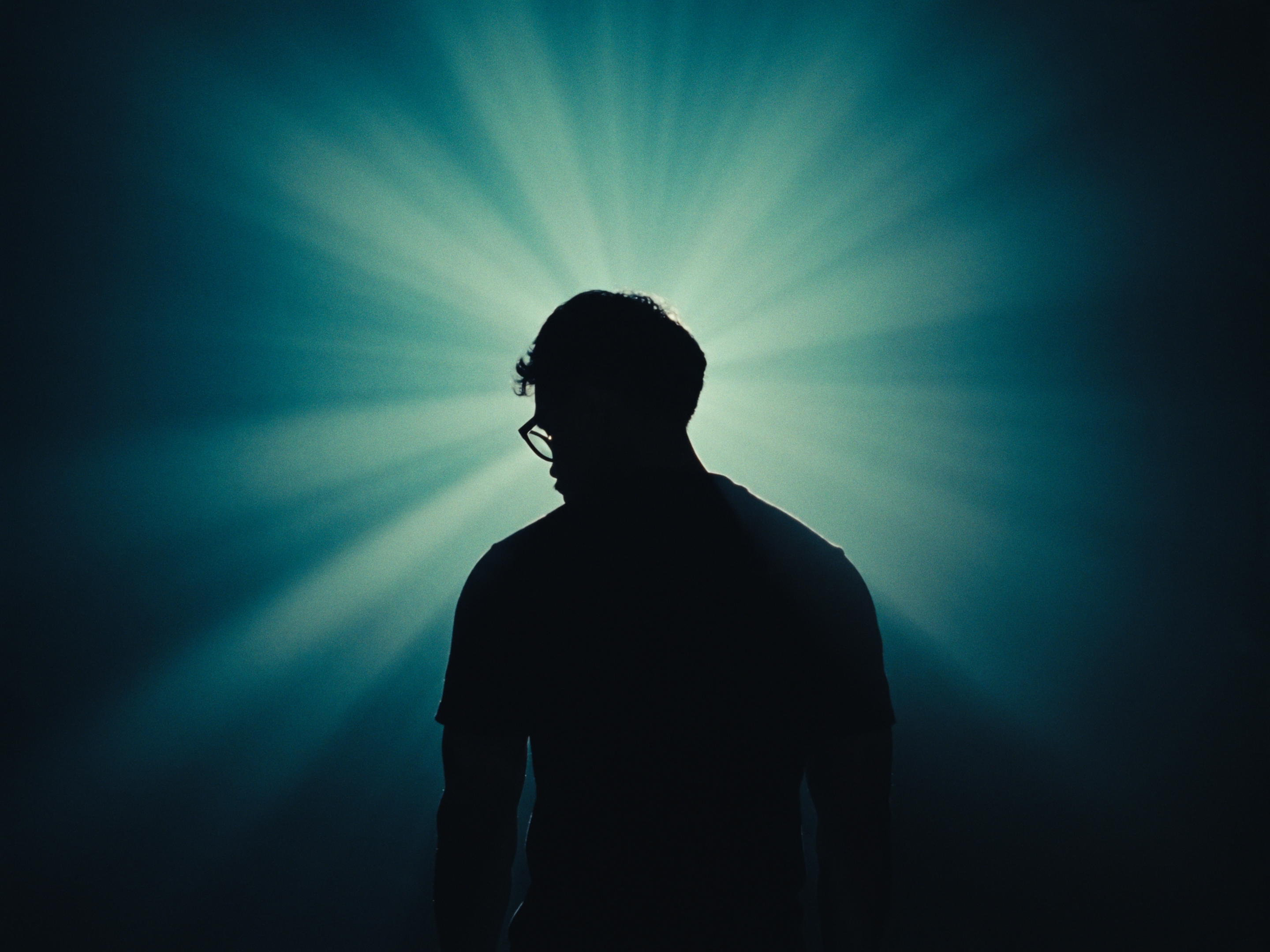
A single strong backlight behind the subject through haze; the subject becomes a dark silhouette with a thin crisp rim of light. No fill.
Top-down
A single hard light directly overhead: highlights on hair, forehead and shoulders, hard shadows under the brow, nose and chin, background falling off to black.
Write light as physical sources with temperatures, never as a mood word like "moody".
Example: one real clip, three relights. The source was a plainly lit shot against a pale wall. Each version keeps the same movement and lip sync; only the light changed. Seedance replaces the audio, so lay the original voice-over back on in the edit.
Step 7: Inserts and stills to video
Inserts make a talking head video feel produced.
Desk reveal (image to video)
Generate the still first with GPT Image (best for handwritten text), then animate it in Seedance. For a reveal, start the frame where the subject is NOT.
SCENE: the exact desk from @image1, top-down overhead at night: [surface], an open notebook titled [TITLE], pens and props.

FIRST FRAME: overhead, tight on the far LEFT side of the desk: empty surface, a couple of pens in shadow. The notebook is NOT visible yet.

CAMERA: fast lateral dolly right (about 6 km/h) like a motorized slider, quick ease-in, props sliding past with slight motion blur, then the notebook sweeps into frame and the camera eases out, settling with it centred and readable for the final second.

LIGHTING: the left side in deep shadow; the camera travels into a warm pool from a single desk lamp (2800K) on the notebook, so the reveal also brightens. Cool teal fill (6000K) in the shadows.

STYLE: 16mm film, fine grain, soft halation, warm-teal grade, 24fps. POSITIVE LOCKS: handwriting and layout identical to @image1. One continuous shot, the camera does not cut.
Hand silhouette
Leave the character reference OUT, or Seedance tends to put the whole person in frame. In silhouette, a generic hand reads the same.
SCENE: extreme close-up of ONLY a single human hand in silhouette. No person, no face, no body, no arm, no sleeve in frame. Only the hand and wrist entering from the bottom edge.

ACTION: the hand rises into frame as a loose fist, then in one deliberate beat the index finger extends straight up and holds for the last two seconds. Five fingers, natural anatomy.

CAMERA: locked-off macro close-up, 85mm, wrist to fingertip, slow push in (about 0.3 km/h).

LIGHTING: single hot orange-amber backlight (2200K) behind the hand pointed toward camera, glowing bloom with soft rays through haze, falling off to near-black at the edges. Pure black silhouette with a thin orange rim. No front fill.

STYLE: 16mm film, visible grain, strong halation, warm orange monochrome grade, 24fps. One continuous shot, the camera does not cut.
What breaks and how to fix it
| Problem | What happens | Fix |
|---|---|---|
| Clip too short | Seedance rejects reference videos under 2s; some modes want 4s | Freeze the last frame to pad to 4s, then trim the output back |
| Empty-looking thumbnail | Heavy fog or backlight relights can open on a frame of pure light before the subject resolves | Play the whole clip before judging it; trim the opening frames in the edit |
| Whole body in an insert | A face reference pulls the full person into frame | Drop the character reference for inserts; list what must NOT appear |
| Text warps | Hand-written text and screens shift during camera moves | Keep moves short, or lock the image as the exact last frame; cover screens in the edit |
| Voice-over lost | Seedance generates its own audio | Re-add the original audio in the edit and trim to length |
| Wasted credits | Several variants of every shot | Generate ONE, review, then iterate on the prompt |
Rough cost: about 96 credits per 5 to 6 second clip at 1080p, so a 13 shot set runs roughly 1,250 credits.
Cheat sheet
| Goal | Mode | Inputs |
|---|---|---|
| New B-roll in your room | Reference (omni) | Face sheet @image1 + room still @image2 |
| Animate a still | Reference, still as start image | The still |
| New angle of real footage | Video edit | Your clip @video1 |
| Relight real footage | Video edit | Your clip @video1 |
| Hand / prop insert | Text to video | None |
- Train the Soul character and pull one room still.
- Write the script, then one shot per line.
- Fill the template: SCENE, FIRST FRAME, CAMERA (km/h), ACTION, LIGHTING, STYLE, LOCKS.
- Generate one 4:3, 5s, 1080p version per shot.
- Fix one variable at a time; re-add your VO in the edit.